

The real problem with tiny hardware teams isn't hiring. It's that when your one solid employee is out with the flu, nobody knows how to check in a truckload of Simpson Strong-Tie brackets, void a wrong POS transaction, or figure out which shelf needs restocking before the Saturday morning rush.
On a 1–3 person crew, every person is a single point of failure. There's no "backup register person." There's just Dave. And when Dave's out, the store limps.
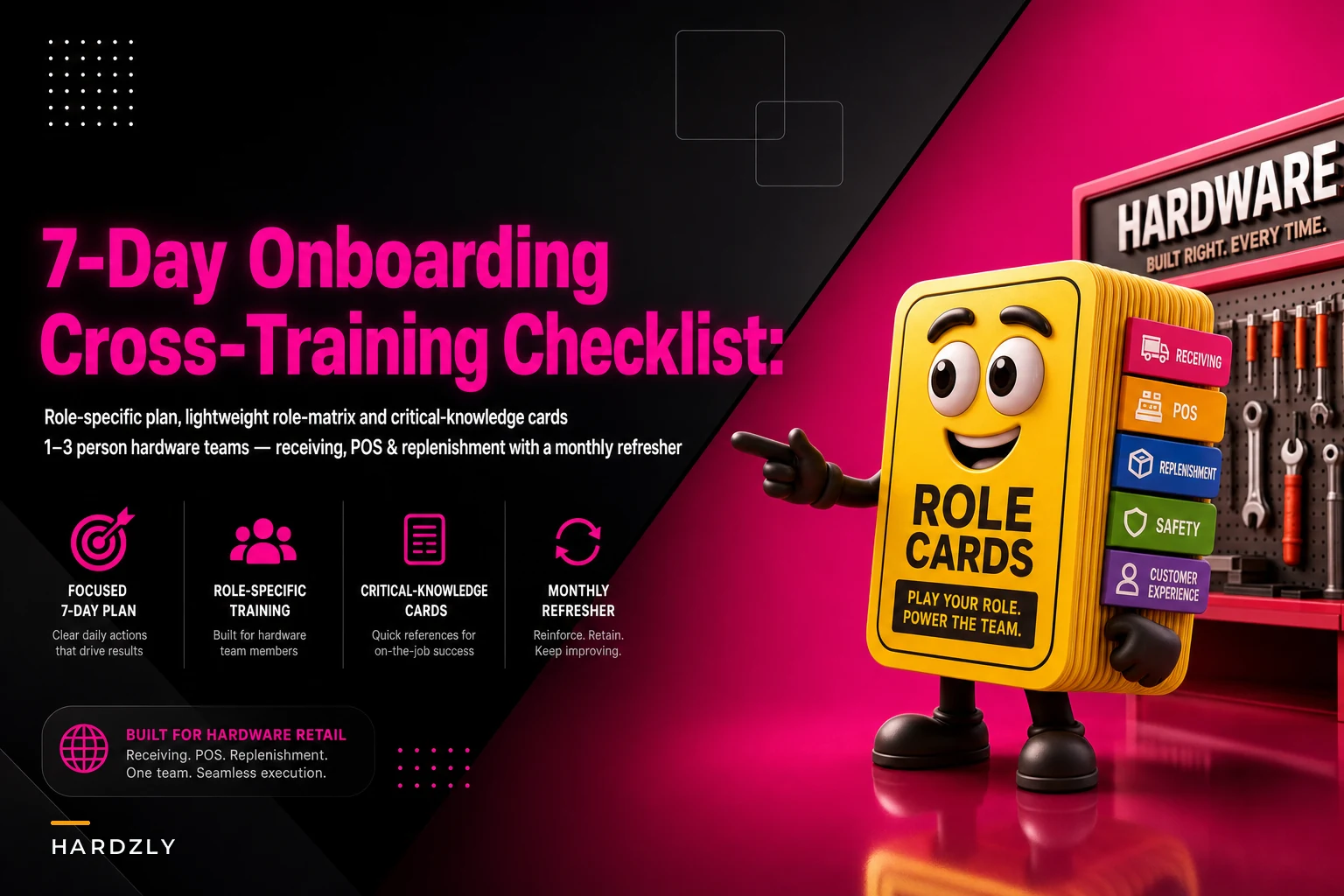
So this isn't a fluffy onboarding guide about company culture and handbook signatures. It's a tight 7-day plan built around three functions that keep a hardware store breathing: receiving, POS, and replenishment. Plus the light-touch tools that make cross-training actually stick — a role matrix, critical-knowledge cards, and a monthly refresher schedule so people don't forget what they learned in week one.
Why cross-training breaks down in small stores (and it's not laziness)
The usual failure isn't that owners don't want to train. It's that training happens in a rush, verbally, standing next to the register while a customer waits. Someone shows the new hire how to ring up a sale once, points at the receiving door, says "you'll figure it out," and never revisits it.
What ends up happening: the new person learns about 60% of one job and none of the other two. Three weeks later they're confident on the register but freeze when a delivery shows up early and the receiving-trained person is on lunch.
A typical example looks like this — a two-person store where the owner handles all vendor receiving and the part-timer only knows POS. A pallet of paint arrives Tuesday morning. Owner's at the bank. Part-timer signs for it without counting, stacks it in the back, moves on. Three days later they discover the count was short by four gallons and the delivery window to dispute it has closed. That's roughly $120–$160 gone, plus the reorder delay.
Cross-training would've prevented it. But it only works when it's structured around what actually breaks the day, not around a generic checklist someone downloaded off Google.
The lightweight role matrix (start here)
Before the 7-day plan, map who can do what. This takes fifteen minutes and immediately shows where you're exposed.
Stop losing sales due to inventory gaps.
Hardzly helps you manage stock levels, orders, and supplier interactions efficiently.
- Unified inventory and sales tracking
- Supplier and purchase order management
- Automated workflow and task scheduling
No credit card required
Rate each person on each core task: P = primary (fully trained, owns it), B = backup (can cover in a pinch), N = not trained.
| Core Task | Owner | Employee A | Employee B |
|---|---|---|---|
| Open/close store | P | B | N |
| POS: sales, returns, voids | B | P | B |
| Receiving & count verification | P | N | B |
| Purchase order matching | P | N | N |
| Replenishment / shelf restock | B | B | P |
| Cash drawer reconciliation | P | B | N |
| Vendor / delivery coordination | P | N | N |
The moment you fill this in, the danger zones jump out. In the example above, "Purchase order matching" and "Vendor coordination" have one P and zero B. That's your fragility. If that person is out for a week, those functions just stop.
The goal isn't to make everyone a P at everything — on a tiny team that's not realistic. The goal is no task with zero backups. Every row needs at least one P and one B.
The 7-day plan
This assumes a new or newly cross-trained person working alongside someone who already knows the store. Days can flex around your actual schedule — the sequence matters more than doing it in exactly seven calendar days.
Day 1 — Store orientation + POS basics
Don't drown them in policy. Walk the floor, name the departments, show where things live physically. Then get them ringing sales within the first hour. Real transactions, supervised.
Cover: opening a drawer, a standard sale, a card decline, a cash sale with change, and looking up an item that won't scan. That last one matters more than it sounds — mystery barcodes eat time at the register every single day.
Skip returns and voids on day one. Overload kills retention.
Day 2 — POS edge cases + returns
Now the messy stuff. Returns with a receipt, returns without one, price overrides, voiding a line, and the one every store gets wrong: the split-tender sale (part card, part cash). Have them do each one twice.
Also cover the "customer is watching and getting impatient" scenario. Teach them to slow down and get the transaction right rather than rush and create a reconciliation headache at close. A single miskeyed void can throw a drawer off by $40–$60 and cost twenty minutes to track down.
Day 3 — Receiving fundamentals
This is where most tiny stores are weakest, so give it a full day. Walk through a real delivery if one lands. If not, simulate one with a past packing slip.
-
Check the delivery against the packing slip before signing
-
Count cartons, then spot-count contents on high-value items
-
Note damage or shortages on the slip itself, in writing, before the driver leaves
-
Flag anything that doesn't match the purchase order
-
Only then, stage it for putaway
The habit that prevents the paint-shortage disaster is simple: never sign for a count you didn't verify. Drivers are in a hurry. That's not your problem. Ninety seconds of counting protects your margin.
Day 4 — Receiving into the system + PO matching
Physical receiving is half the job. The other half is getting it into your records so replenishment and reorder points actually work. If your receiving numbers are wrong, everything downstream — par levels, reorder triggers, shrink tracking — inherits the error.
Show them how received quantities get logged, how a partial delivery is handled, and what to do when a vendor substitutes a SKU. This is exactly the kind of moment where a system that ties receiving directly to your inventory records saves you from the "it's in the back but the computer says zero" problem that sends staff on twenty-minute treasure hunts.
Day 5 — Replenishment and shelf logic
Restocking looks simple and isn't. The mistake new people make is restocking what's visibly empty instead of what's actually selling. A gap on the shelf might be a slow mover; a full-looking shelf of fast-selling deck screws might be one Saturday from stocking out.
Teach them to read the signals, not just the gaps. Where are your reorder points? Which SKUs move fastest? If you've built a simple dashboard to watch this — and if you haven't, the walkthrough on how to build a 30-minute POS forecast dashboard covers exactly the KPIs worth tracking — Day 5 is when the new person learns to use it.
Also cover facing, rotation on anything with a shelf life (caulk, adhesives, some finishes), and the endcap and promo areas that need daily attention.
Day 6 — Coordination: where the three functions collide
Days 1–5 taught tasks in isolation. Day 6 is about the handoffs, because that's where tiny teams actually fall apart.
Run scenarios: a delivery arrives during a register rush — who does what? A customer wants to pick up a web order while you're mid-receiving? If click-and-collect is part of your operation, this is where the click-and-collect SOP for single-location stores role splits become real, not theoretical.
On a two-person team, coordination isn't a nice-to-have — it's the whole game. Most bad days aren't caused by someone not knowing a task. They're caused by two people colliding on the same task while a third thing gets dropped.
Day 7 — Solo shift with a safety net
Let them run a portion of the day mostly alone, with you nearby but not hovering. Then debrief. What felt shaky? What did they have to guess at? Those gaps tell you exactly what to reinforce.
The debrief is also where the role matrix gets updated. A task they handled cleanly moves from N to B, or B to P. Now the matrix reflects reality, not hope.
This diagram captures the receiving workflow you practiced on Day 3 and Day 4.
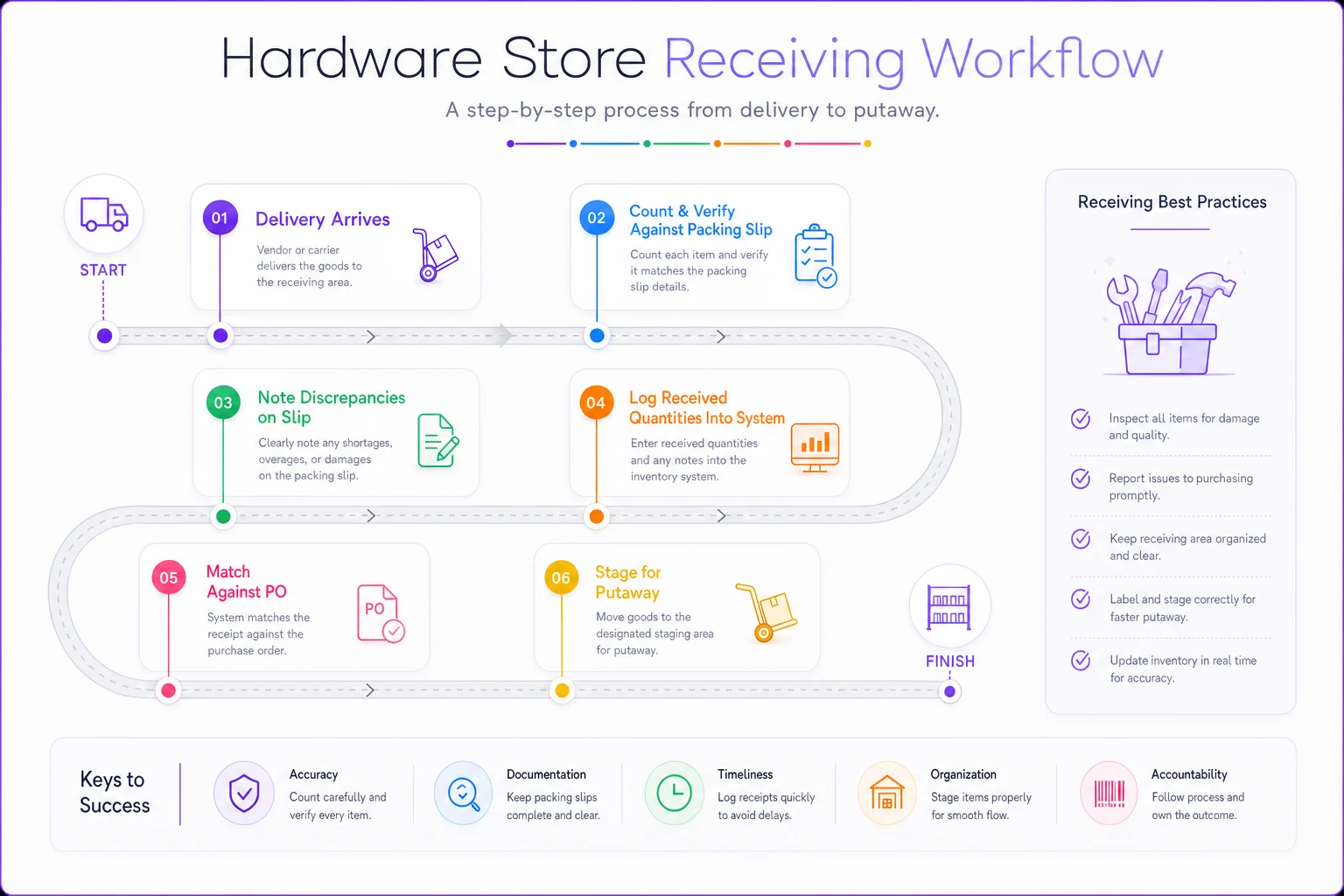
Use this visual as a quick reference during training and on your receiving card.
Critical-knowledge cards
Some information can't wait for someone to dig through their memory. It needs to be findable in ten seconds while a customer is staring at them. That's what critical-knowledge cards are — one-page references, laminated, kept at the register and in receiving.
Keep them brutally short. If a card needs a second page, it's two cards.
POS card should include:
-
Exact steps for a return without receipt (and the dollar limit before a manager's needed)
-
How to void vs. refund, and when to use which
-
The manager override code location (not the code itself — where to find who has it)
-
What to do when the card reader freezes
-
Who to call if the POS goes fully down
Receiving card should include:
-
The "verify before signing" sequence
-
Which vendors require appointment windows
-
High-value SKUs that always get a full count
-
What to write on the slip for a shortage or damage
-
Where partial deliveries get staged
Replenishment card should include:
-
Top 15 fast-movers and their shelf locations
-
Reorder-point cheat sheet for the categories that stock out most
-
Rotation rules for shelf-life items
-
Which endcaps get checked daily
These cards do something onboarding alone can't: they catch the stuff people forget under pressure. A part-timer who's confident 90% of the time still needs the card for the 10% that only comes up once a month.
The monthly refresher calendar
This is the part almost everyone skips, and it's why cross-training decays. Someone learns receiving in week one, doesn't touch it for six weeks because Dave's always there, and quietly forgets half of it. Then Dave's out and the "backup" isn't really a backup anymore.
The fix is a light, rotating refresher — not retraining, just deliberate reps on the skills people don't use daily.
-
Week 1 Backup person handles a full receiving cycle (with the primary watching, not doing)
-
Week 2 POS backup runs the close and drawer reconciliation solo
-
Week 3 Whoever's weakest on replenishment does the full weekly restock
-
Week 4 Quick 20-minute review of any critical-knowledge card that's changed — new vendor, new POS quirk, seasonal SKU shifts
The whole point is keeping backups warm. A backup who last did the task two months ago is barely a backup. One who did it three weeks ago is genuinely useful.
Update the role matrix at the end of each month.
Update the role matrix at the end of each month. If someone's slipped on a skill, drop it back to N until they refresh. Honesty here matters more than optimism — a matrix full of wishful Bs will fail you exactly when you need it most.
When this level of structure makes sense (and when it doesn't)
If you're a true solo operator with no employees, most of this is overkill — but the critical-knowledge cards are still worth building, because future you covering during illness or a family emergency will need them, and so will whoever you eventually hire.
For a 2–3 person store, the full plan pays for itself the first time someone's out unexpectedly. The math isn't complicated: a single week of a fragile function collapsing — missed receiving disputes, register errors, stockouts on your best movers — quietly costs more than the few hours the training took.
Where it's a bad fit: don't build a 40-page onboarding binder for a store this size. Nobody reads it, it goes stale, and it makes training feel like a corporate exercise. The role matrix plus cards plus a 7-day sequence is deliberately lightweight because lightweight is what actually gets used.
A real scenario
A single-location hardware store — owner plus two part-timers. The owner did all receiving and PO matching; the part-timers only knew POS. Whenever a delivery landed and the owner was out, it got signed unverified and shelved.
Over a few months they'd eaten several small receiving discrepancies — short counts, a wrong-SKU substitution nobody caught, a damaged carton signed for clean. Nothing huge individually, but it added up to somewhere in the $400–$600 range in write-offs and reorder scrambles, plus the harder-to-measure cost of stocking out on items that "should" have been in the back.
They ran the 7-day plan over about two and a half weeks (full consecutive days weren't possible). Built the matrix, made three cards, started the monthly rotation. The concrete change: both part-timers could now verify a delivery against a packing slip and log it correctly.
Next quarter, the unverified-signing problem basically stopped. The owner also stopped being chained to the store during delivery windows — a smaller thing on paper, but it freed up real hours. No dramatic revenue jump, just fewer leaks and a store that didn't wobble every time one person called out.
Where to start this week
Don't try to do all of this at once. Fill in the role matrix first — fifteen minutes, and it'll show you your single points of failure immediately. Pick the scariest one (usually receiving or drawer reconciliation) and build that critical-knowledge card next.
Then schedule the first refresher rep for whoever your weakest backup is. A tiny hardware team doesn't need a corporate onboarding program. It needs to make sure that when one person is out, the other one or two can keep the doors open, the deliveries verified, and the shelves stocked — without everything falling apart because the wrong person called in sick.
A tiny hardware team doesn't need a corporate onboarding program. It needs to make sure that when one person is out, the other one or two can keep the doors open, the deliveries verified, and the shelves stocked — without everything falling apart because the wrong person called in sick.
Ready to elevate your hardware store management?
Join 500+ hardware stores using Hardzly to boost operational efficiency, reduce stockouts, and grow revenue.