

The worst picking errors aren't the big obvious ones. Nobody grabs a sheet of plywood when someone ordered a box of screws. The errors that actually bleed money are the quiet unit mix-ups: a contractor orders "10 of the 3/4-inch PVC couplings" and gets 10 bags of 25 instead of 10 pieces. Or a counter person rings up a "box" at the each price. Or receiving logs 12 cases as 12 units and your on-hand count is suddenly off by a few hundred.
In hardware specifically, this is baked into the product mix. You sell the same physical item as a single each, a bulk bag, a contractor box, a full case, sometimes by the foot, sometimes by the pound. The same SKU family can live in four different units depending on how a customer wants it. That's the whole problem. The item is fine. The unit is where everything breaks.
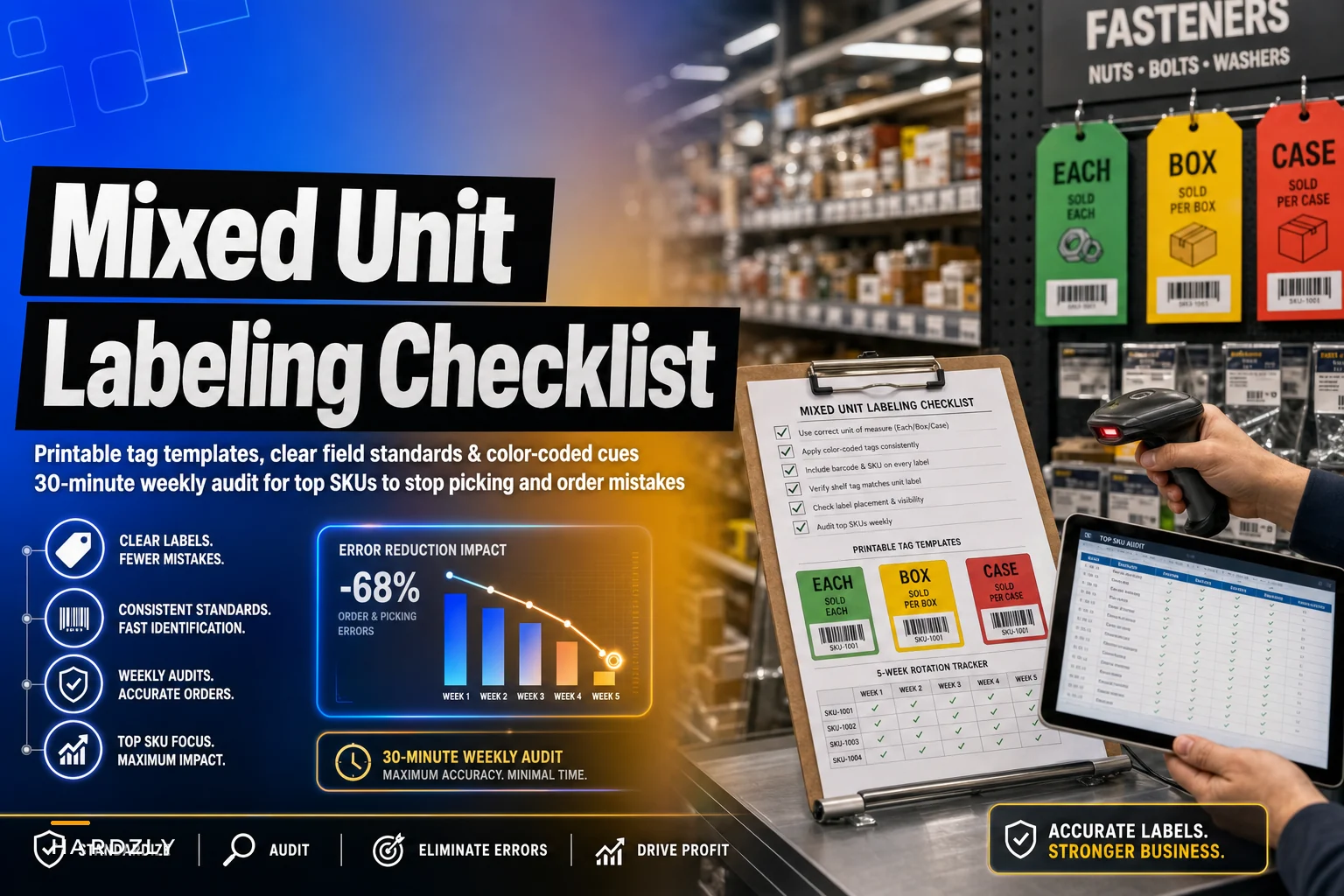
This post is narrow on purpose. It's about one thing: building a mixed-unit labeling standard — printable tags, clear field rules, visual cues, and a tight weekly audit on your top SKUs — so unit confusion stops turning into wrong picks, wrong charges, and wrong counts.
Where the unit confusion actually starts
If you trace most unit errors backward, they don't start at the counter. They start at the shelf tag and the product record, and the counter just inherits the mess.
A typical example looks like this. You stock #8 x 1-1/4 wood screws three ways:
-
Loose each (pulled from a bulk bin)
-
A 1 lb box (roughly 180 pieces)
-
A contractor case (5 boxes)
In your POS, all three got set up over the years by different people. One is "SCREW #8 1-1/4," another is "SCREW #8 1.25 BX," and the case is "SCREW #8 CASE/5." The shelf tags don't match the POS descriptions. The bin label just says "#8 x 1-1/4." Nothing on any tag tells a new hire that the box holds ~180 and the case holds 5 boxes.
So when a pick list says "6 — #8 1-1/4," there's genuinely no way to know if that's 6 pieces, 6 boxes, or 6 cases without someone who already knows the store in their head. That knowledge-in-someone's-head is exactly what fails on a busy Saturday or when your veteran counter person is out.
Unit errors cluster hard in a few specific categories: fasteners, fittings (PVC/copper/brass), electrical connectors, chain and rope by the foot, and anything sold by weight. These are usually a small slice of your SKU count but a big slice of your transactions — which is also the good news, because a focused fix covers most of the damage.
What a clean mixed-unit tag actually needs
Most shelf tags are built for pricing, not picking. They show a description and a price, and that's about it. For mixed-unit items, the tag has to answer three questions instantly: what unit is this price for, what's inside that unit, and how does it relate to the other units of the same item.
Stop losing sales due to inventory gaps.
Hardzly helps you manage stock levels, orders, and supplier interactions efficiently.
- Unified inventory and sales tracking
- Supplier and purchase order management
- Automated workflow and task scheduling
No credit card required
Here's the field standard that holds up in real stores:
| Field | What it shows | Example |
|---|---|---|
| Item description | Short, human-readable, consistent | #8 x 1-1/4 Wood Screw |
| Selling unit | The unit THIS tag prices | BOX |
| Unit contents | What's inside the selling unit | 1 lb ≈ 180 pc |
| Price | Price for the selling unit | $7.49 / box |
| Unit code | Standard abbreviation (always the same) | EA / BX / CS / FT / LB |
| SKU / barcode | The exact SKU for this unit | 100482-BX |
| Conversion note | Relationship to base unit | 1 CS = 5 BX |
The non-negotiable part is the selling unit and unit code, printed big enough to read from standing distance. Not buried in small print. Making the unit visually loud on the tag is the single most effective fix for reducing errors. When "BOX" is the same font size as the price, people stop assuming "each."
The second non-negotiable is one tag per selling unit. If you sell the item three ways, you print three tags, each with its own SKU and its own unit code. Trying to cram all three units onto one tag is where people get clever and it always backfires — the eye grabs the wrong number.
Visual cues that do the work for you
Text alone isn't enough when someone is moving fast. Stores that get this right lean on a simple color and shape system so the unit registers before anyone reads a word.
A setup that works without being complicated:
-
Color band by unit type. Pick one color per unit and never change it. For example: white band = each, blue band = box, orange band = case, green band = by-foot/by-weight. Once staff learn "orange means case," they stop misreading a case tag as an each.
-
Icon in the corner. A tiny box icon, a case icon, a ruler icon for by-the-foot. People pattern-match images faster than they read text.
-
Bin vs. shelf distinction. Bulk bins — where you sell loose eaches — get a clearly different tag style than the shelf tags for boxed or cased versions of the same item. This stops the classic mistake of pricing a loose each at the box price because both tags looked identical.
The point of the color and icon layer isn't decoration. It's that your newest hire, three days in, can glance at a tag and know the unit without asking. That's the real test of a good labeling standard — does it work for the person who doesn't already know the store.
Focus the effort: your top 200 SKUs, not everything
You're not going to re-tag 8,000 SKUs by hand, and you shouldn't. Errors concentrate in a relatively small set of fast-moving, multi-unit items. Fix those and you've handled the large majority of real-world damage.
Here's the practical way to build the list:
Prioritize by transaction count rather than revenue — each transaction is an opportunity for a unit mistake.
-
Pull a sales report by quantity sold for the last 90 days.
-
Filter to items that exist in more than one selling unit (if your system can't flag this, your fast-moving fasteners/fittings/electrical categories are a reasonable manual starting point).
-
Take the top ~200 by transaction count — not by revenue. Transaction count matters here because each transaction is a chance to pick or charge the wrong unit.
-
Cross-check against your return/refund log for any item that shows up repeatedly with "wrong quantity" or "wrong item" reasons.
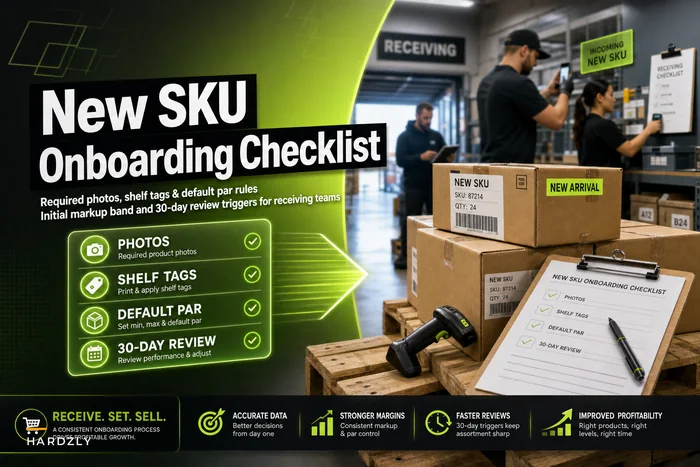
If your product records are a mess before you even start — duplicate SKUs, inconsistent descriptions, the same item entered three different ways — tag printing will just make the mess more official. It's worth cleaning the underlying records first. The SKU cleanup playbook with vendor‑SKU mapping and consolidation rules walks through exactly that, and it pairs naturally with this labeling work. For anything new coming in, bake the unit standard into intake so you never create the problem again — the new SKU onboarding checklist for photos, tags and default par is the right place to enforce it on day one.
The sample label files
To make this usable rather than theoretical, here's what to actually build. You can do this in a spreadsheet mail-merged to a label sheet, or in your POS label module if it supports custom fields.
Label file structure (one row per selling unit):
| item_description | selling_unit | unit_code | unit_contents | price | sku | conversion_note | color_band | icon |
|---|---|---|---|---|---|---|---|---|
| #8 x 1-1/4 Wood Screw | box | BX | 1 lb ~180 pc | 7.49 | 100482-BX | 1 CS = 5 BX | blue | box |
| #8 x 1-1/4 Wood Screw | case | CS | 5 boxes | 33.95 | 100482-CS | 1 CS = 5 BX | orange | case |
| #8 x 1-1/4 Wood Screw | each | EA | single piece | 0.09 | 100482-EA | bulk bin | white | each |
| 3/4 PVC Coupling | each | EA | single piece | 0.59 | 220915-EA | 1 BG = 25 EA | white | each |
| 3/4 PVC Coupling | bag | BG | 25 pc | 11.75 | 220915-BG | 1 BG = 25 EA | blue | bag |
Three design rules that keep the file from drifting:
-
Unit codes are a fixed list. EA, BX, CS, BG, FT, LB, ROLL. No freelancing. "PK," "pkg," and "pack" all becoming different things is exactly how you end up back where you started.
-
Conversion note is mandatory on every multi-unit item. Even on the each tag, note the relationship. It's what lets a counter person sanity-check an order without having to track someone down.
-
SKU suffix matches the unit code. -EA, -BX, -CS. This makes every pick list and receiving doc self-explaining because the unit is literally in the SKU.
The label file should live somewhere everyone can access it — shared drive, your POS system, wherever. The goal is that when someone needs to reprint a tag, they're pulling from the same source, not recreating it from memory.
The 30-minute weekly audit
Tags drift. Prices change, a vendor switches the case pack from 5 to 6, someone reprints a tag wrong. Without a short recurring check, your clean standard decays within a couple of months. The audit is what keeps it honest, and it fits in half an hour if you keep it to the top 200.
The weekly routine:
-
Rotate through roughly 40 SKUs per week. Top 200 means you cover the full list every five weeks or so. Keep a simple tracker so you know where you left off.
-
At each location, check four things
Does the shelf or bin tag's unit code match the POS record? Does the unit contents still match reality (case pack unchanged)? Does the price on the tag match the POS? Is the color band and icon correct for the unit?
-
Scan-test two items. Physically scan the tag barcode and confirm it rings up at the right unit and price. This catches the sneaky case where the tag looks right but the barcode points to the wrong SKU.
-
Log mismatches on the audit sheet with SKU, location, what was wrong, and whether it was fixed or needs a reprint.
Audit sheet columns to use:
| date | auditor | sku | location | unit_code_match (Y/N) | contents_match (Y/N) | price_match (Y/N) | visual_cue_match (Y/N) | scan_test (pass/fail) | action |
|---|---|---|---|---|---|---|---|---|---|
| date | auditor | sku | location | unitcodematch (Y/N) | contents_match (Y/N) | price_match (Y/N) | visualcuematch (Y/N) | scan_test (pass/fail) | action |
The pattern worth watching on that sheet: if the same category keeps throwing mismatches — PVC fittings every single week, for example — that's not a tagging problem. That's a vendor-pack or product-record problem upstream. Read the audit sheet over a month and it'll tell you where the real leak is.
Here's a quick workflow you can follow each week.
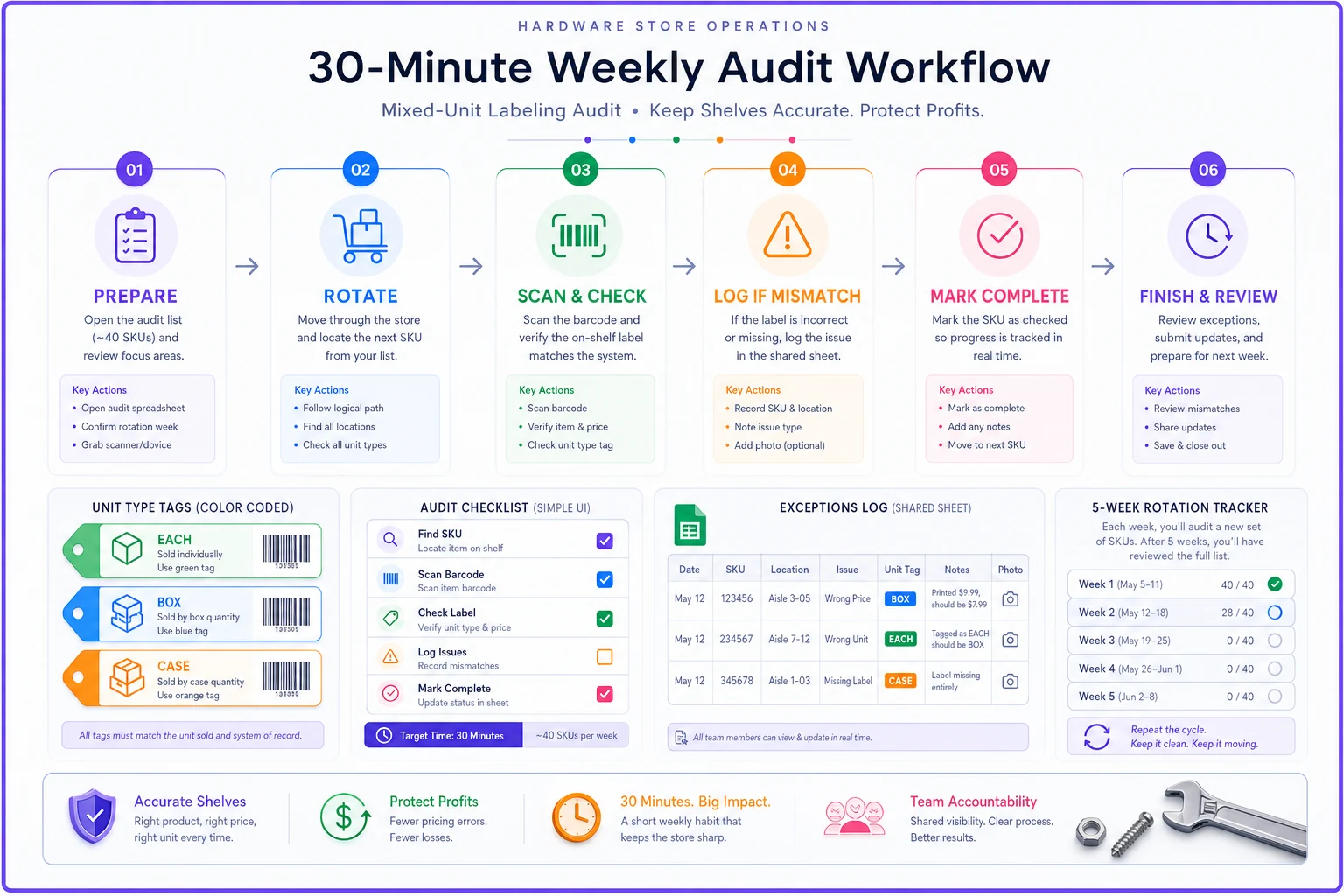
The audit is short, focused, and consistent — that's what makes it stick.
A real scenario
A single-location hardware store, heavy contractor trade, was eating a steady stream of unit errors on fasteners and fittings. Nothing dramatic on any one ticket — a box picked as an each here, 25 couplings sent when 1 was ordered there, the occasional each rung at a box price. But it added up. Returns and re-picks were running roughly 8–12 incidents a week, plus a slow count drift that made reorders increasingly unreliable.
They scoped it to their top ~190 multi-unit SKUs. Re-tagged over about two weekends with the three-tag-per-item standard, added color bands (white/blue/orange), and put the conversion note on everything. Then ran the 30-minute weekly audit.
Inside about six weeks, unit-related errors dropped to a small handful per week — not zero, but clearly a different situation. The bigger win was quieter: on-hand counts for the audited categories stopped drifting as badly, which made fastener reorders a lot less guess-y. The owner estimated the waste before the fix was somewhere in the $250–$400 a month range, between returns, re-picks, and mispriced eaches — most of which just went away.
When this is worth it — and when it isn't
Do this if you sell a meaningful number of items in more than one unit, you have contractor or bulk trade, or you're constantly onboarding new counter staff who keep asking "is this each or box?" Those are the exact conditions where unit confusion compounds.
Skip the full build if you're a very small store where almost everything sells as a single each. The overhead of a multi-unit tag system won't pay back, and you'd be solving a problem you don't really have.
Don't start here if your product records are genuinely broken — duplicate SKUs, the same item entered four different ways, no consistent descriptions. Clean the records first. Printing tags over a messy master just produces tidy-looking labels for the wrong data, which is arguably worse because now everyone trusts them.
The whole idea is small and boring on purpose: make the unit impossible to misread, keep the list tight, and spend half an hour a week making sure it stays true. Unit errors don't come from careless people. They come from tags that quietly assume everyone already knows what "6" means — and that assumption is where the money leaks out.
Ready to elevate your hardware store management?
Join 500+ hardware stores using Hardzly to boost operational efficiency, reduce stockouts, and grow revenue.