
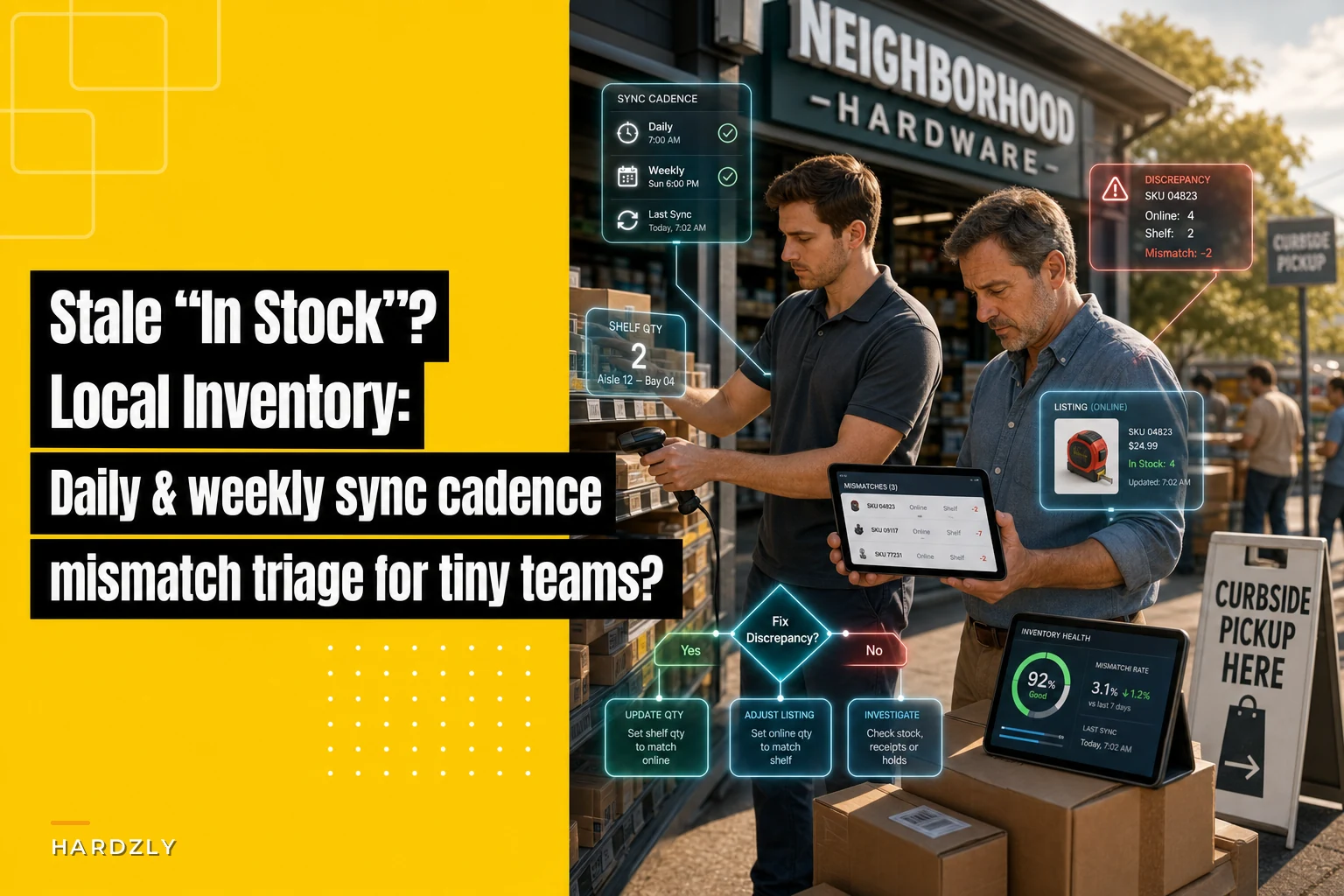

A customer sees your Google listing showing "8 in stock" on a $34 impact driver bit set. They drive across town. You have zero. What they don't see is that your last sync ran fine — it was your POS count that was wrong, or your feed choked on a SKU three days ago and quietly stopped updating that one product line.
That gap between what your online listing says and what's actually on the shelf is the whole problem. For a small hardware store running local inventory ads or a "see it in store" storefront, stale feeds don't just annoy people. They train regulars to stop trusting your online counts entirely, which kills the exact traffic you paid to attract.
This is a tight problem with a tight fix. You don't need a data team. You need a cadence, a short triage list, and a couple of fallback messages ready to go when a feed goes cold.
Why local inventory sync breaks for small retailers (it's rarely the "sync" itself)
Most owners assume that when a listing is wrong, the sync tool failed. Usually it didn't. The sync did exactly what it was told — it just got fed bad or partial data. In real operations, this usually comes down to one of four things:
-
Silent partial feeds. Your export runs nightly but only pushes 1,900 of your 2,400 SKUs because a category threw an error. The 500 missing SKUs keep showing yesterday's number indefinitely until someone notices.
-
The two-count problem. Your on-hand in the POS says 6, but 2 are on a will-call shelf, 1 is damaged, and 1 is already in a click-and-collect tote. Your feed publishes "6 available" and three of those are already spoken for.
-
Timing lag. You sell a busy SKU at 10am. Feed refreshes at 2am. For 16 hours your listing overstates stock on your fastest movers — which are exactly the ones people search for.
-
SKU mapping drift. A vendor SKU got remapped or a product got merged, and the feed now points at a barcode that no longer matches shelf reality.
The pattern worth remembering: your slowest-moving SKUs almost never cause listing complaints, because nobody's racing to buy them. Your top 40–60 velocity SKUs cause nearly all of them. That's what makes priority-SKU rules so useful — you don't need to babysit 2,400 items, you need to babysit the 50 that actually generate drive-in traffic.
The real cost, in plain numbers
Say your store gets roughly 25–35 "in stock" clicks a day from local listings. If even 3–4 of those hit a phantom-stock item, that's around 20 disappointed drive-ins a week. Some just leave. A chunk of them never check your listing again.
Stop losing sales due to inventory gaps.
Hardzly helps you manage stock levels, orders, and supplier interactions efficiently.
- Unified inventory and sales tracking
- Supplier and purchase order management
- Automated workflow and task scheduling
No credit card required
A typical example: a store carrying seasonal fasteners and power tool accessories found that about 1 in 9 online-to-store trips for their top movers ended in "we don't actually have that." Nothing dramatic per incident — but over a month that's a slow bleed of your most motivated shoppers, the ones who already knew what they wanted and came in ready to buy.
The second-order cost is worse than the lost sale: staff time. Every phantom-stock customer becomes a 6–10 minute service interaction — apology, back-room check, substitute hunt, sometimes a rain-check. For a two-person floor, that's real disruption.
Set your priority-SKU tiers first
Before you build any cadence, split your catalog into three sync-priority tiers. This decides how often you actually eyeball things.
| Tier | What goes here | Sync check cadence | Why |
|---|---|---|---|
| A – Traffic drivers | Top ~50 velocity SKUs + anything in a current promo or local ad | Daily manual spot-check | These cause almost all phantom-stock complaints |
| B – Steady movers | Regular sellers, mid-velocity, key brands | Weekly full check | Errors here matter but move slower |
| C – Long tail | Slow, bulky, low-search items | Monthly or exception-only | Rarely searched online; low complaint risk |
If you don't already know your velocity bands, your POS movement report over the last 90 days gets you most of the way there. Pull top sellers by units, cross it with anything you're currently advertising, and that's your Tier A. Keep it to a real number — 40 to 60 SKUs — not "everything important," which always balloons.
The daily 4‑minute sync check (Tier A only)
This is the core of it. A fast, boring, repeatable check that catches phantom stock before customers do. One person, morning routine, before the doors open.
-
Open your feed dashboard (Google Merchant Center local inventory, your marketplace, whatever you publish to). Look at last successful sync time. If it's older than your expected refresh window, stop and go to triage below.
-
Check the SKU count published vs. expected. If you carry ~2,400 items and the feed shows 1,850 active, something dropped. A shrinking count is your loudest early warning.
-
Spot-check 5 rotating Tier A SKUs. Pick 5 of your top movers (rotate through the list day to day). Compare listing quantity to POS on-hand to actual shelf. All three should agree.
-
Flag any mismatch on a shared note — SKU, listing says X, POS says Y, shelf says Z. Don't fix on the spot mid-count; log first, fix after.
Four minutes, maybe five. The value isn't depth — it's that you're checking the right five items every day, so a broken feed or a miscount gets caught within 24 hours instead of sitting there for a week.
Mismatch triage: figure out which of the three counts is lying
When listing, POS, and shelf disagree, you've got three suspects. Work through them in this order — it's the fastest path to the actual problem.
[START TRIAGE] | v Shelf vs. POS | Match? --No--> Fix POS count → feed follows | Yes | v POS vs. Listing | Match? --No--> Check SKU last-updated timestamp → partial feed or mapping issue | Yes | v Check SKU/Barcode Mapping | Correct? --No--> Fix vendor remap or merge → re-run feed | Yes | Escalate to platform support
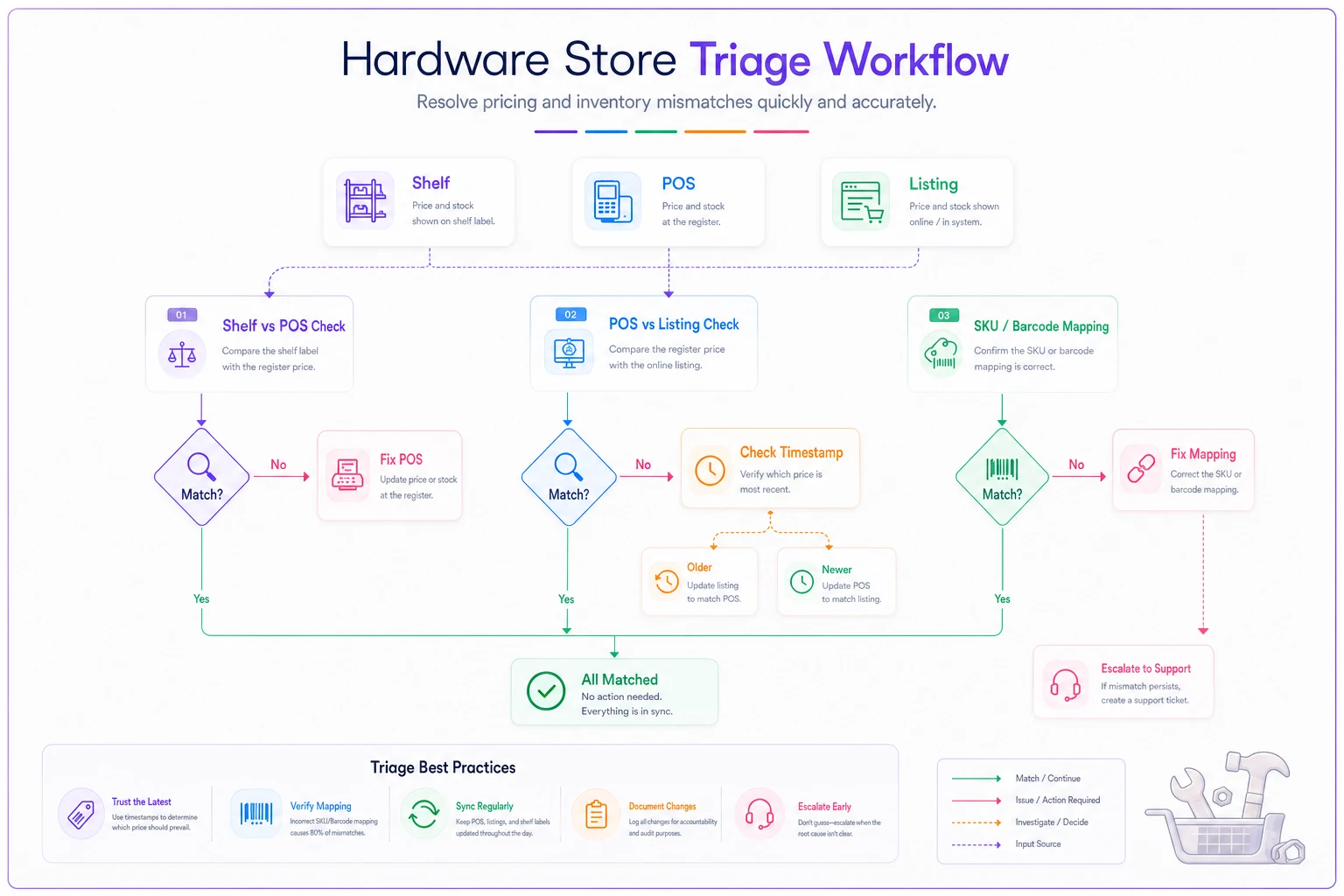
Use this order every time: shelf first, POS second, listing last. It isolates whether the error is in-store processes, your POS, or the feed itself.
Step 1 — Shelf vs. POS. Physically count the shelf. If shelf ≠ POS, your problem is inside the store, not the feed. Common causes: unlogged damages, items pulled for will-call, returns not received back into stock, or theft. Fix the POS count and the feed follows.
Step 2 — POS vs. listing. If shelf and POS agree but the listing is wrong, it's a feed problem. Check when that specific SKU last updated. If it's stale while other SKUs are current, you've got a partial-feed or mapping issue on that item.
Step 3 — Mapping. If the SKU shows the wrong product entirely or won't update, check the vendor-SKU/barcode mapping. A remap or merge usually explains it.
The thing most owners miss: most "the feed is broken" complaints are actually shelf-vs-POS problems. The feed is publishing garbage faithfully. Fix your on-hand accuracy on Tier A items and half your listing mismatches disappear without touching the sync at all.
A big source of the shelf-vs-POS gap is your pickup and hold flow — items reserved but still counted as available. If your click-and-collect holds aren't decrementing sellable stock cleanly, you'll get phantom availability all day. Tightening the pick/hold rules in your click-and-collect SOP fixes more listing mismatches than most owners expect.
Fallback messaging: what to publish when a feed goes stale
Sometimes you can't fix the feed right away — the export's broken, your platform's having an issue, or you're mid-inventory-count. Have these ready so you're not scrambling to write copy while customers are already clicking.
When you're unsure of a Tier A count but the item is likely in stock: > "In-store availability updated regularly — call ahead to confirm this item before visiting: [phone]."
When a whole feed is down / stale for hours: > Temporarily switch the storefront call-to-action from "In stock" language to "Call to check availability" for affected categories, rather than leaving stale hard numbers live.
When a customer arrives for a phantom-stock item: > "Sorry — our online count was off on that one. Here's the closest match we have on the shelf right now, and I can hold the exact one for you the moment it's back and text you." (Then actually log the rain-check.)
The rule behind all three: when in doubt, degrade to "call to confirm" rather than publishing a confident wrong number. A soft "call ahead" costs you almost nothing. A confident "8 in stock" that's wrong costs you the customer's trust.
Quick fixes when a feed goes cold
Fast, in-order things to try before you escalate to a vendor ticket:
-
Re-run the export manually. Half of stale feeds clear on a forced re-push.
-
Check for a single choking SKU. One item with a bad character, missing price, or broken image can fail-block a whole batch in some feeds. Pull the error log, find the offender, null it out, re-run.
-
Verify the SKU count. Published count way below your catalog means partial feed — that's your fingerprint for a dropped category.
-
Confirm the feed's timestamp actually moved after your fix. A "success" message with an unchanged timestamp means it didn't really run.
-
Temporarily pull hard quantities on affected categories and swap to "call to confirm" while you sort it out.
If you're pulling POS movement data for velocity tiers anyway, it's worth folding that into the same weekly rhythm you use for forecasting. A lot of stores already run a short review like the one in this 30-minute POS forecast dashboard, and combining the sync spot-check with that same sit-down means it's one habit, not two.
Where lightweight automation actually helps
The daily check is deliberately manual because a human eyeballing five SKUs catches weird stuff a script won't. But two things are genuinely worth automating on a tiny team:
-
A stale-feed alert. If the last sync timestamp is older than X hours, or the published SKU count drops more than, say, 5% overnight, you want a notification — not a discovery from an angry customer. Workflow platforms that monitor your feed status and flag drops let you skip steps 1 and 2 of the daily check entirely and go straight to triage only when something's actually wrong.
-
Reserved-stock decrementing. Availability that automatically nets out will-call, pickup holds, and flagged damages keeps your published "available" number honest without anyone doing subtraction in their head.
That's the sensible line: automate the watching, keep the judgment human. You don't need a system making decisions about your inventory — you need one loud enough to tell you when a number stopped moving.
If your platform supports it, set the stale-feed alert to notify both a manager and a shared team channel so the person doing the morning check isn't the only one who sees it.
You don't need a system making decisions about your inventory — you need one loud enough to tell you when a number stopped moving.
When this cadence makes sense — and when it's overkill
Do this if: you run local inventory listings or a "see in store" storefront, you get real online-to-store traffic, and phantom stock complaints are hitting your busy SKUs. That's exactly who this is built for.
Skip the daily check if: you don't publish live quantities at all — if your online presence is just "we're open, come in," there's no feed to go stale. A weekly Tier B pass is plenty.
Don't bother tiering all 2,400 SKUs. The whole value is in ignoring the long tail. If you find yourself building a daily check for 400 items, you've missed the point and you'll abandon it within a couple weeks.
A short real scenario
A single-location store carrying tools, fasteners, and seasonal goods was fielding maybe 4–6 "you said you had it" complaints a week on their local listings, mostly on power tool accessories and popular fastener packs. They assumed the sync tool was junk.
It wasn't. When they ran the triage, shelf-vs-POS was off on most of the flagged items — returns weren't being received back cleanly, and pickup holds were still showing as sellable. They put together a 50-SKU Tier A list, ran the 4-minute morning check, and tightened how holds decremented stock.
Within about six weeks the "we don't actually have that" incidents on their top movers dropped to roughly one a week, and the ones that remained were caught by the morning check before they went public. Nothing exotic — just checking the right handful of items every day and fixing the count that was actually lying.
The takeaway
Stale "in stock" listings almost never come from a broken sync. They come from bad counts feeding a sync that works fine, and from nobody watching the 50 SKUs that actually drive drive-in traffic.
Tier your catalog, check the top movers daily in four minutes, triage shelf-then-POS-then-mapping when something's off, and keep a "call to confirm" fallback ready for the hours you can't fix things fast. That's the whole system — and for a tiny team, it's the difference between customers trusting your online counts and quietly giving up on them.
Stale "in stock" listings almost never come from a broken sync. They come from bad counts feeding a sync that works fine, and from nobody watching the 50 SKUs that actually drive drive-in traffic. Tier your catalog, check the top movers daily in four minutes, triage shelf-then-POS-then-mapping when something's off, and keep a "call to confirm" fallback ready for the hours you can't fix things fast.
Ready to elevate your hardware store management?
Join 500+ hardware stores using Hardzly to boost operational efficiency, reduce stockouts, and grow revenue.