

Most vendor problems don't show up on day one. They show up around week six, when a rep who promised "two-day lead times" sends a split shipment three weeks late, and nobody on your team can find the original terms because they're buried in an email thread from March.
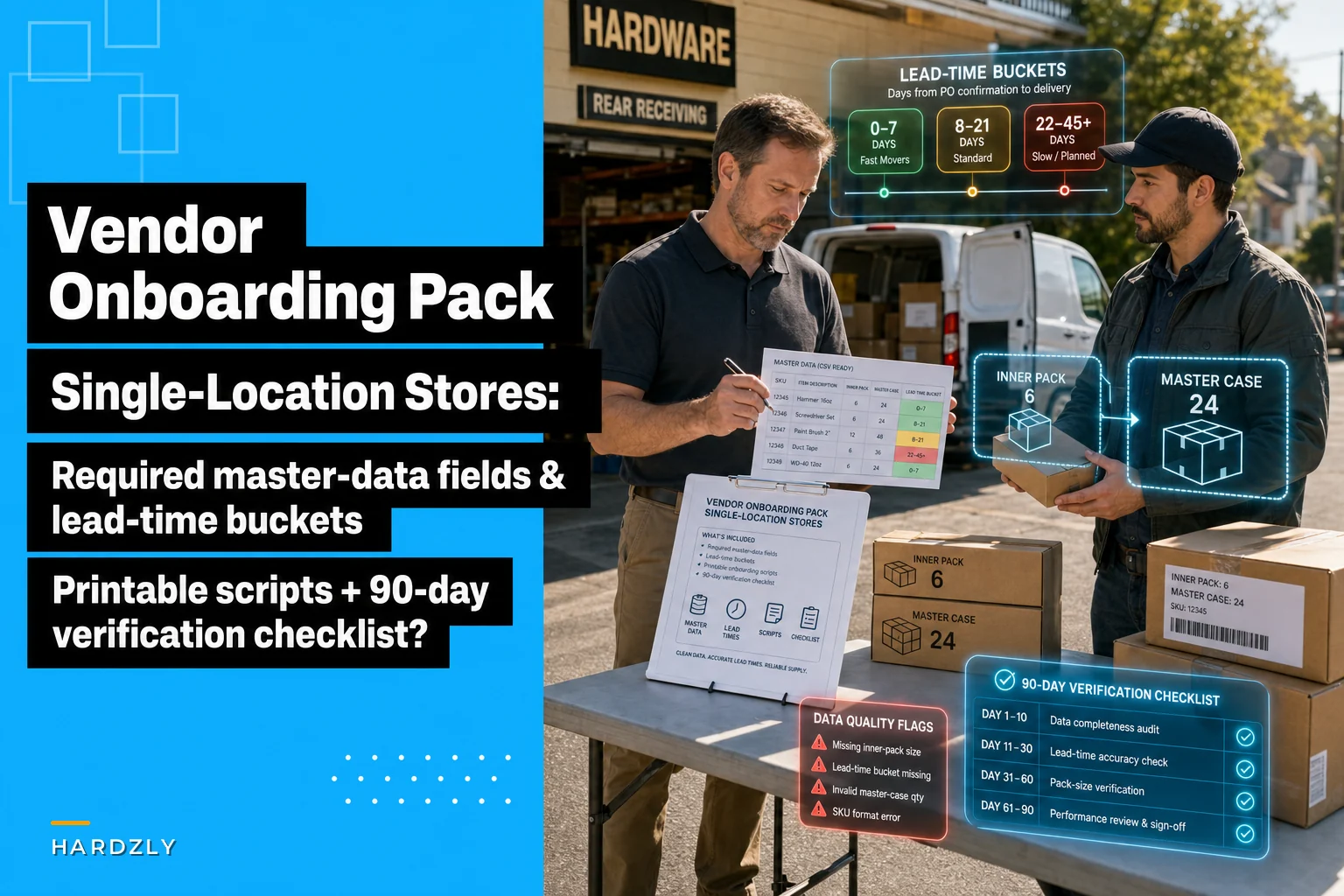
The fix isn't a fancy procurement system. It's a tight onboarding pack that forces the right information into the right fields before the first PO goes out, plus a simple verification rhythm for the first 90 days. This post walks through exactly what fields to capture, how to bucket pack sizes and lead times so your reordering stays predictable, the scripts to get a new vendor set up fast, and the red-flag triggers that tell you to escalate before a slow-motion supply problem turns into a stockout on your best-moving SKUs.
Why vendor onboarding fails at small stores (and it's almost never the vendor's fault first)
At a single-location store, vendor setup usually happens at the worst possible moment: a customer wants something you don't carry, you find a supplier who has it, and you rush to place an order. The "onboarding" is a phone call and a scribbled note. Nobody captures the minimum order, the pack break rules, or whether the quoted price includes freight.
Three or four months later you've got a vendor you can't really evaluate because you never wrote down what "good" was supposed to look like. Did they promise a 5-day lead time, or did you assume it? Was the case pack 12 or 24? You're guessing — and guessing is how you end up with 48 units of a slow mover because the rep's "minimum" turned out to be four cases, not one.
The pain is rarely a single catastrophic event. It's the accumulation of missing fields: no remit-to address, no backorder policy, no return window, no clear contact for disputes. Each gap costs ten minutes and a little trust. Multiply that across 60 active vendors and you've got a part-time job nobody signed up for.
The one-page vendor master sheet: keep it minimal or nobody fills it in
The temptation is to build a 40-field vendor form. Don't. At a small store, a long form guarantees half the fields stay blank. The goal is the minimum data that lets you reorder predictably, pay on time, and resolve a dispute without a scavenger hunt.
Stop losing sales due to inventory gaps.
Hardzly helps you manage stock levels, orders, and supplier interactions efficiently.
- Unified inventory and sales tracking
- Supplier and purchase order management
- Automated workflow and task scheduling
No credit card required
| Field | Why it earns its spot | Example value |
|---|---|---|
| Vendor name + short code | Short code keeps your product master clean | "Nat'l Fastener" / NATFAS |
| Primary rep (name, cell, email) | The human who actually fixes problems | Dana R., 555-0148 |
| Order channel | How you actually place orders | EDI / portal / email |
| Remit-to + payment terms | Prevents late-fee surprises | Net 30, 2% 10 |
| Freight terms | The silent margin killer | FOB origin, free over $500 |
| Minimum order (units/$) | Stops accidental overbuys | $250 or 1 case |
| Case/pack size per SKU | Feeds your par math | 12/case, 4 case/master |
| Standard lead-time bucket | Drives reorder timing | Bucket B (6–10 days) |
| Backorder policy | Tells you what happens when they're short | Partial ship + notify |
| Return/defect window | Protects you on damaged goods | 30 days, RMA required |
| Price list date/version | Catches silent price creep | Rev 2026-01 |
That's eleven fields. Everything else — W-9 on file, COI, catalog links — lives as attachments, not fields you re-type.
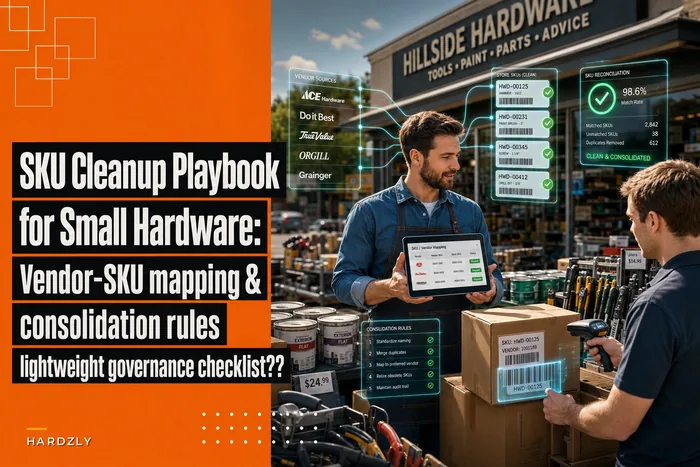
One practical note on the short code: if you've already cleaned up how vendors map to your SKUs, this part is easy. If you haven't, the SKU cleanup playbook for small hardware stores is worth running first, because a messy vendor-SKU map will quietly corrupt everything you build on top of it.
Default pack-size and lead-time buckets: stop treating every vendor as unique
The shift that saves the most time is this: you don't need precise lead times for every vendor. You need buckets. Precise numbers rot fast — a vendor's "4 days" becomes "7 days" after their warehouse moves, and nobody updates the field. Buckets are stable and accurate enough for reorder decisions.
-
Bucket A — Fast (1–5 days) local distributors, will-call pickups
-
Bucket B — Standard (6–10 days) most regional suppliers
-
Bucket C — Slow (11–21 days) national vendors, drop-ship
-
Bucket D — Long/seasonal (22+ days) import, special order, pre-book
This matters because your reorder point math is only as good as your lead-time assumption. If you want the full logic on how buckets feed reorder timing and safety stock, the supplier lead-time framework goes deep on that. For onboarding purposes, you just need to drop the new vendor into the right bucket and move on.
Pack sizes get the same treatment. Instead of recording pack logic in prose, capture two numbers per SKU: inner pack and master case. Then set a default rule — "order in inner packs, break to master only above par ×2" — so your team isn't improvising each time.
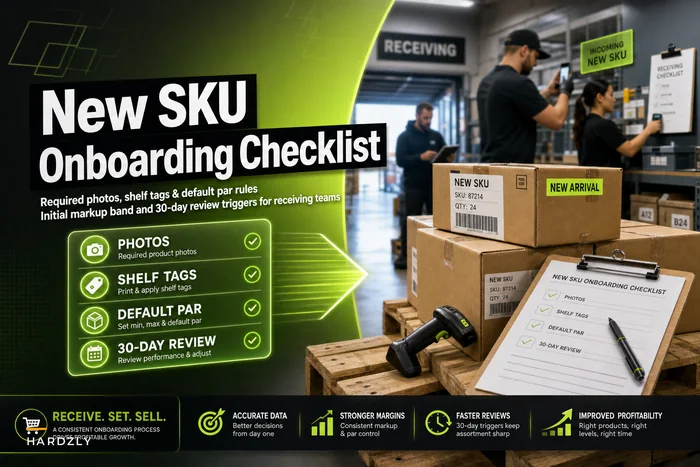
This is where new items consistently trip people up, which is why pairing vendor onboarding with a disciplined new SKU onboarding checklist keeps the two processes from working against each other.
A visual workflow can make the bucketing and pack-size steps obvious during onboarding.
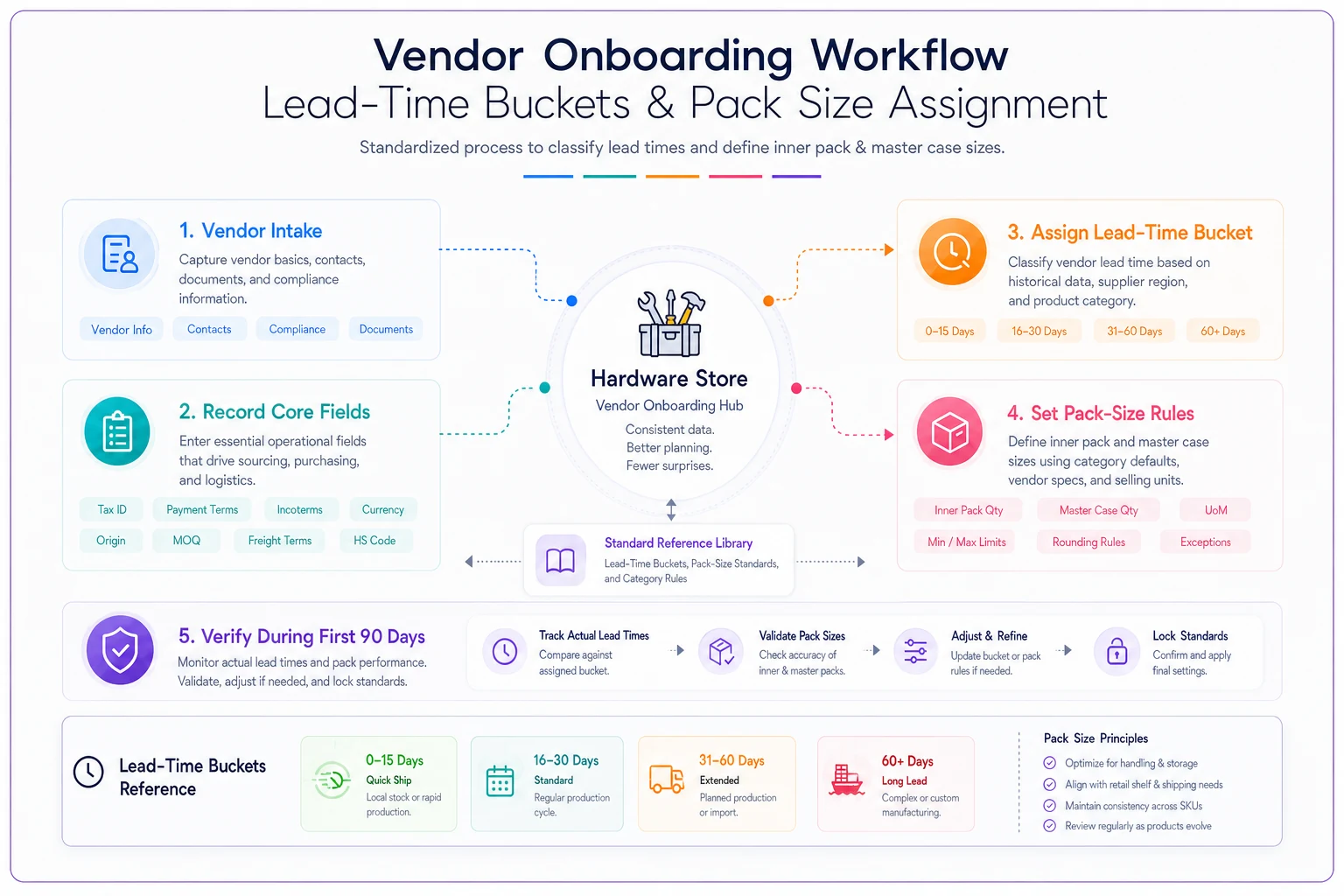
For onboarding purposes, you just need to drop the new vendor into the right bucket and move on.
When bucketing is a bad idea
If a single vendor supplies more than a quarter of your revenue, don't bucket them — track their actual performance line by line. Buckets are for the long tail of 40–60 vendors where precision costs more than it returns. For your top two or three suppliers, you want real numbers.
Onboarding scripts: the email and the call that get you set up in one pass
The slowest part of onboarding is the back-and-forth. You ask for terms, they send a catalog, you ask again, they loop in a different rep. A scripted first contact collapses that into one exchange.
Email script (send before the first order):
> Subject: New account setup — [Your Store], want to order this week > > Hi [Rep], we're setting up [Store] as a new account and planning our first order. To get you paid on time and avoid surprises on our end, can you confirm the following in one reply?
-
Payment terms + remit-to address
-
Freight terms (FOB, free-freight threshold)
-
Minimum order ($ or units)
-
Case/inner pack sizes for the SKUs below
-
Standard lead time from PO to our dock
-
Backorder policy — partial ship or hold?
-
Return/defect process + RMA contact
> Once I have these I'll send the PO same day. Thanks — [Name]
Call script (for vendors who don't do email well — more common than you'd think):
Open with the order, not the paperwork. "I want to place an order today, and I just need to confirm a few things so I can set you up properly in our system." Then walk the same seven points, writing directly into the master sheet as they talk. End with: "Last thing — if something arrives short or damaged, who do I call, and what's the turnaround on an RMA?" That last question tells you more about a vendor than anything on their rate sheet.
The first-90-day verification checklist: trust the paperwork, verify the behavior
A vendor who says Net 30 and Bucket B means nothing until you've watched three or four order cycles play out. The first 90 days is the audition period, and most stores skip it entirely — they onboard and only notice problems when a stockout forces a reaction.
-
First order received Did lead time match the bucket? Did pack size match what was confirmed? Was freight charged as quoted? Was the invoice accurate against the PO?
-
Day 45 review Across orders so far, what's the actual average lead time? Any short-ships or substitutions? How fast did they respond to your last question?
-
Day 90 decision Confirm the bucket assignment, lock in or renegotiate terms, and decide: core vendor, backup vendor, or drop.
Keep the verification itself to a five-minute check per vendor. The whole point is that it's lightweight enough to actually happen.
Red-flag triggers that mean escalate now, not later
-
Two consecutive orders arrive outside the assigned lead-time bucket
-
An invoice price doesn't match the quoted price list — even by a few percent
-
Freight shows up on an order that was supposed to be free-freight
-
A substitution was shipped without any heads-up
-
The rep goes quiet for more than 48 hours on an open issue
-
A backorder was created silently with no notification
Any single one of these is a conversation. Two or more in the same window, and you're looking at a vendor who won't self-correct.
Escalation scripts: firm, specific, and on the record
When a red flag trips, the mistake small-store owners make is either saying nothing and eating the cost, or blowing up at the rep and burning the relationship. Neither works. You want a calm, specific, documented escalation.
> Hi [Rep], invoice #[X] shows [price/freight] but our confirmed terms were [agreed terms] per your [date] email. Can you issue a corrected invoice or credit? Want to keep our records clean before we scale orders with you.
> Hi [Rep], the last two orders came in at [X] and [Y] days against the 6–10 day lead time we agreed on. We plan reorders around that window, so I need to understand — is this the new normal, or a temporary issue? It affects whether we keep you as a primary source for these items.
That last sentence is the leverage. It's not a threat; it's an honest statement that their performance determines their role in your buying. Reps who care will fix it. Reps who don't just told you something useful.
A real scenario: the "Net 30" vendor that was quietly Bucket C
A single-location store brought on a fastener and fittings supplier whose rep promised 5-day lead times and Net 30. The first two orders looked fine. By the third month the owner noticed reorders on a handful of fast-moving bin items kept arriving just late enough to cause short gaps on the pegboard — not dramatic stockouts, just empty hooks on a Saturday morning here and there.
A quick day-45 verification showed the actual average lead time across five orders was closer to 12 days, not 5. The vendor belonged in Bucket C, not Bucket A. Nobody had exactly lied — the rep quoted best case, and best case rarely happened.
The fix cost almost nothing. The owner re-bucketed the vendor to C, which pushed the reorder points earlier for those SKUs, and sent the repeated-late-delivery escalation script. The vendor's answer was honest: their will-call stock had moved to a regional DC. With the corrected bucket, the empty-hook Saturdays stopped. Over the following quarter the store estimated it recovered somewhere around $1,500–$2,000 in weekend sales it had been quietly losing to those gaps — all because the lead-time assumption finally matched reality.
The lesson wasn't "the vendor was bad." A verified bucket beats a promised one every time.
Printable pack and CSV-ready templates: keep it to one page
The whole system fits on a single sheet per vendor, plus two CSV exports. Set up the master sheet as a spreadsheet with the eleven columns above so you can export it straight into your POS or product master import. Keep a second CSV for the pack-size and lead-time bucket per SKU-vendor pair — that's the file your reorder logic actually pulls from.
Print the one-page onboarding pack as a two-sided sheet: front is the master-data fields and the onboarding scripts, back is the 90-day checklist with the red-flag triggers and escalation language. Staple it to the first PO folder for each new vendor. When day 90 arrives, the whole history is in one place and the keep/backup/drop decision takes two minutes.
If you're keeping vendor data in a spreadsheet right now, that's fine — the structure matters more than the tool. Some owners eventually move the master sheet into their operational software so the lead-time buckets feed reorder points automatically and the day-45 and day-90 checkpoints surface as reminders instead of living in someone's memory. That's a convenience, not a requirement. The process works on paper; software just stops the day-90 review from getting skipped during a busy week.
Who should skip most of this
If you run with fewer than ten vendors and personally place every order, you can get away with a lighter version — the eleven fields and the red-flag triggers, nothing more. The 90-day verification rhythm earns its keep once you've got enough vendors that no single person holds all the terms in their head, or once you've started delegating purchasing to staff. That's the point where undocumented vendor terms start costing real money.
The core idea stays the same regardless of size: capture the minimum that lets you reorder and pay without guessing, then verify behavior against what was promised before you commit real volume. A vendor's rate sheet tells you what they want you to believe. The first 90 days tell you what's actually true.
The core idea stays the same regardless of size: capture the minimum that lets you reorder and pay without guessing, then verify behavior against what was promised before you commit real volume. A vendor's rate sheet tells you what they want you to believe. The first 90 days tell you what's actually true.
Ready to elevate your hardware store management?
Join 500+ hardware stores using Hardzly to boost operational efficiency, reduce stockouts, and grow revenue.